
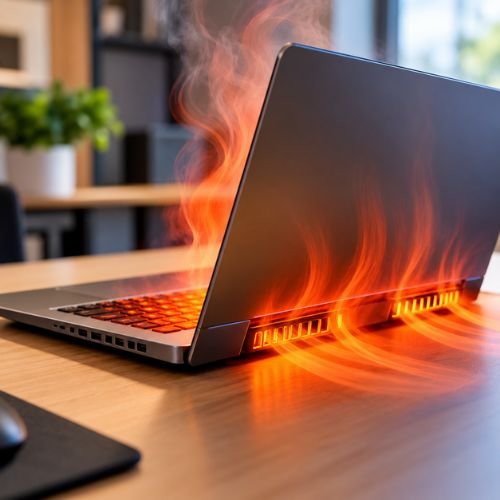
A laptop that feels unusually hot, has a constantly loud fan, slows down during use or suddenly shuts down can be experiencing an overheating problem. While some heat is normal during demanding tasks, persistent overheating can affect performance and may indicate an underlying cooling or hardware issue.
If your laptop is overheating regularly, understanding the cause can help you decide whether a simple adjustment is enough or whether you need professional laptop repair in Browns Plains.
Common Causes of Laptop Overheating
1. Dust & Blocked Air Vents
Dust, lint and debris can accumulate around the cooling system and restrict airflow. When hot air cannot escape effectively, the internal components can become hotter and the fan may work harder.
2. Poor Ventilation
Using your laptop on a bed, blanket, couch or other soft surface can block the ventilation openings. A hard, flat surface allows better airflow around the laptop.
3. Heavy Applications & Background Processes
Gaming, video editing and other demanding tasks can place significant load on the processor and graphics hardware. Multiple background applications can also increase system workload and fan activity.
4. Faulty or Noisy Cooling Fan
A damaged, obstructed or malfunctioning fan may not move enough air through the cooling system. If your laptop fan is unusually loud, constantly running or not spinning correctly, it may require inspection.
5. Hot Environment
High room temperatures can make it more difficult for your laptop’s cooling system to remove heat effectively. Keeping the device in a well-ventilated environment can help.
How to Stop Your Laptop From Overheating
Start with a few simple steps:
- Keep air vents clear of dust and obstructions.
- Use your laptop on a hard, flat surface.
- Close unnecessary applications and background processes.
- Keep your operating system and relevant drivers updated.
- Avoid using the laptop in excessively hot or enclosed areas.
- Consider professional cleaning if dust has built up inside the device.
If basic steps don’t solve the problem, continuing to use an overheating laptop may not be the best approach. A technician can inspect the cooling system, fan, vents and other components to identify the underlying cause.
When Should You Get Professional Laptop Repair?
If your laptop keeps overheating, becomes extremely hot, runs unusually slowly, produces abnormal fan noise, crashes or shuts down unexpectedly, professional diagnosis may be worthwhile. Excessive heat can cause performance issues, and modern processors may reduce their operating speed to manage high temperatures.
Get Reliable Laptop Repairs in Browns Plains
At Computer Republic, we provide professional desktop and laptop repairs in Browns Plains, Brisbane, including troubleshooting, hardware issues, performance problems, overheating and other computer faults.
Don’t let an overheating laptop disrupt your work or everyday activities. Contact Computer Republic for a professional assessment and reliable repair support.
Need help with an overheating laptop? Get in touch with Computer Republic today.
Hi, this is a comment.
To get started with moderating, editing, and deleting comments, please visit the Comments screen in the dashboard.
Commenter avatars come from Gravatar.